
Using trans-o-flex insight, recipients always retain an overview of their consignments – it is available for smartphones, tablets and desktop computers.
Consignment Tracking for Recipients using trans-o-flex insight
What is trans-o-flex insight?
trans-o-flex insight provides recipients with a comprehensive overview of their consignment details and transparently displays estimated delivery times and temperature data.
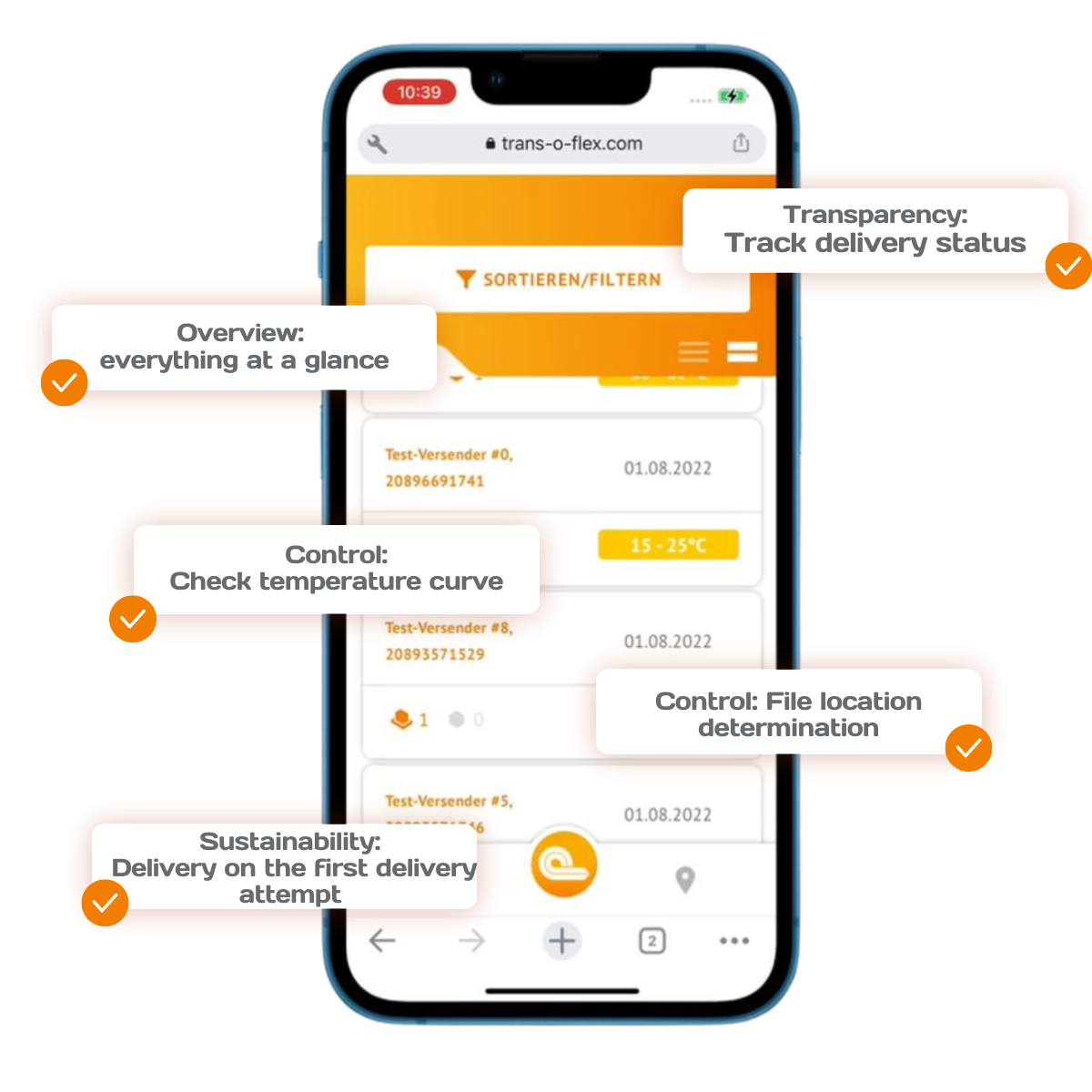
Which functions does trans-o-flex insight offer?
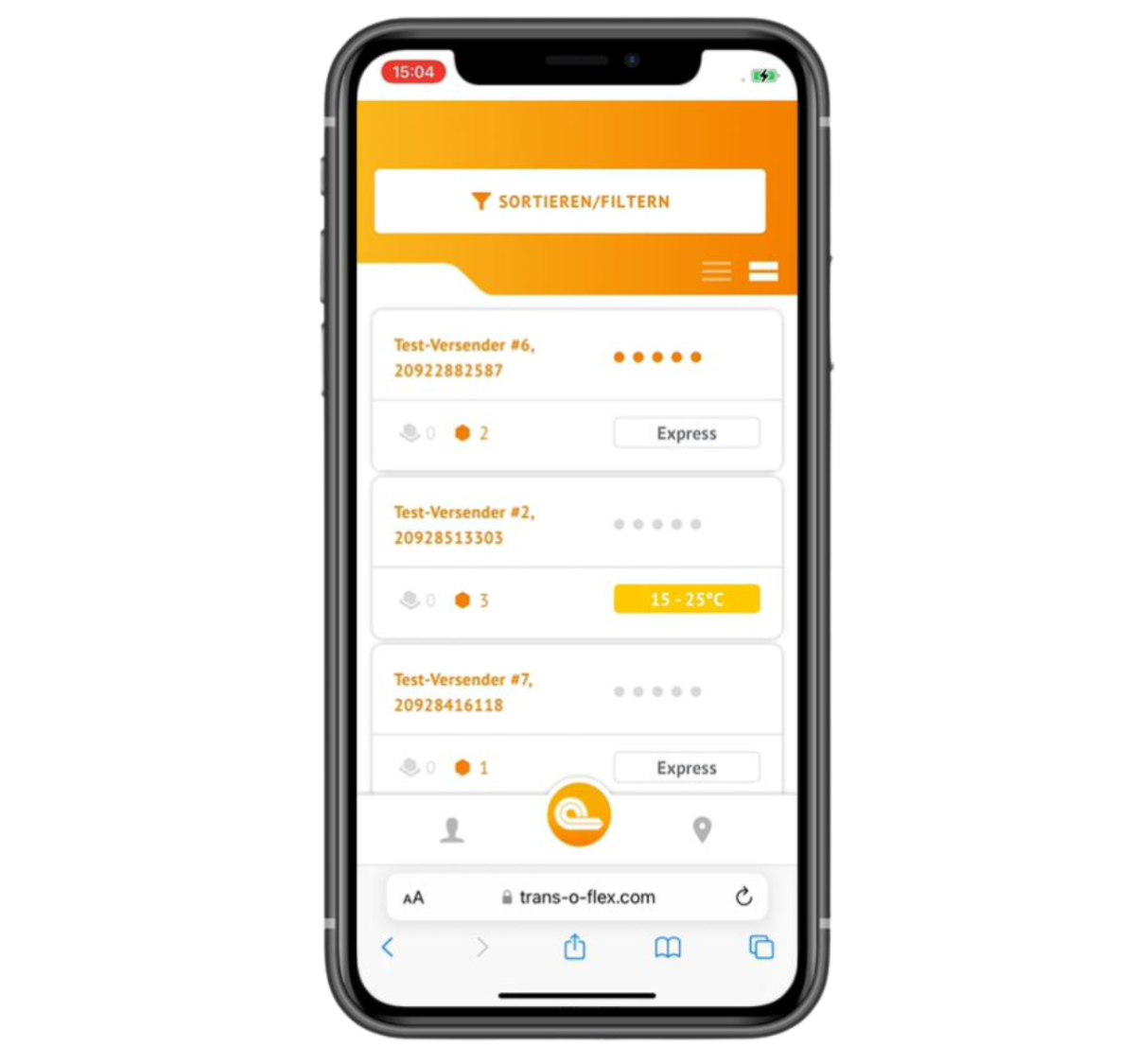
Delivery notifications – always one step ahead
An overview of all consignments that are currently in transit, including: The number of incoming parcels, sender names, consignment details such as express consignments, cash-on-delivery consignments, hazardous goods or actively temperature-controlled parcels.
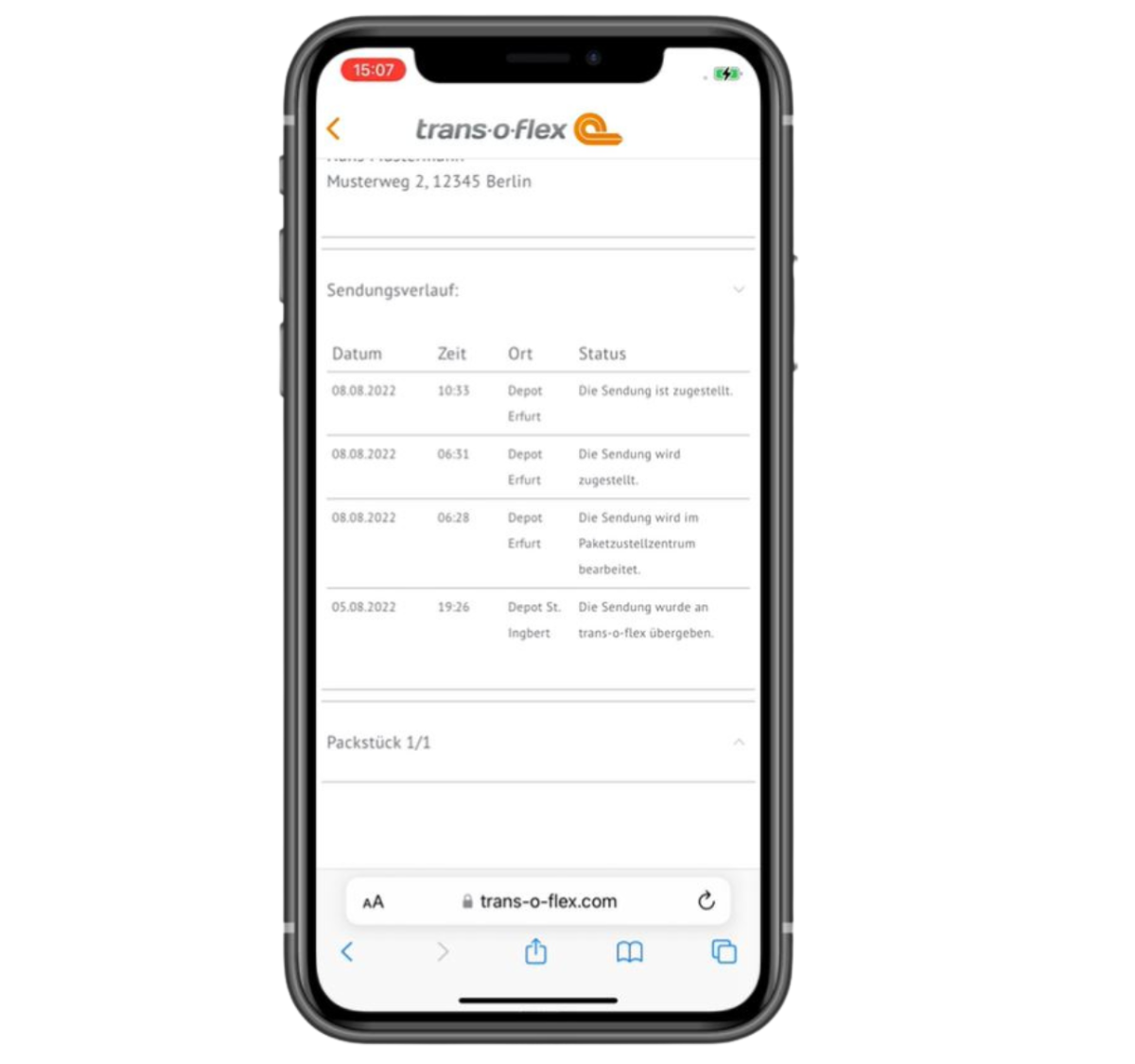
Consignment details – a closer look
The detailed view displays comprehensive information about each consignment, including: the estimated delivery time, the weight, the consignment number or the consignment status as an overview or history logs.
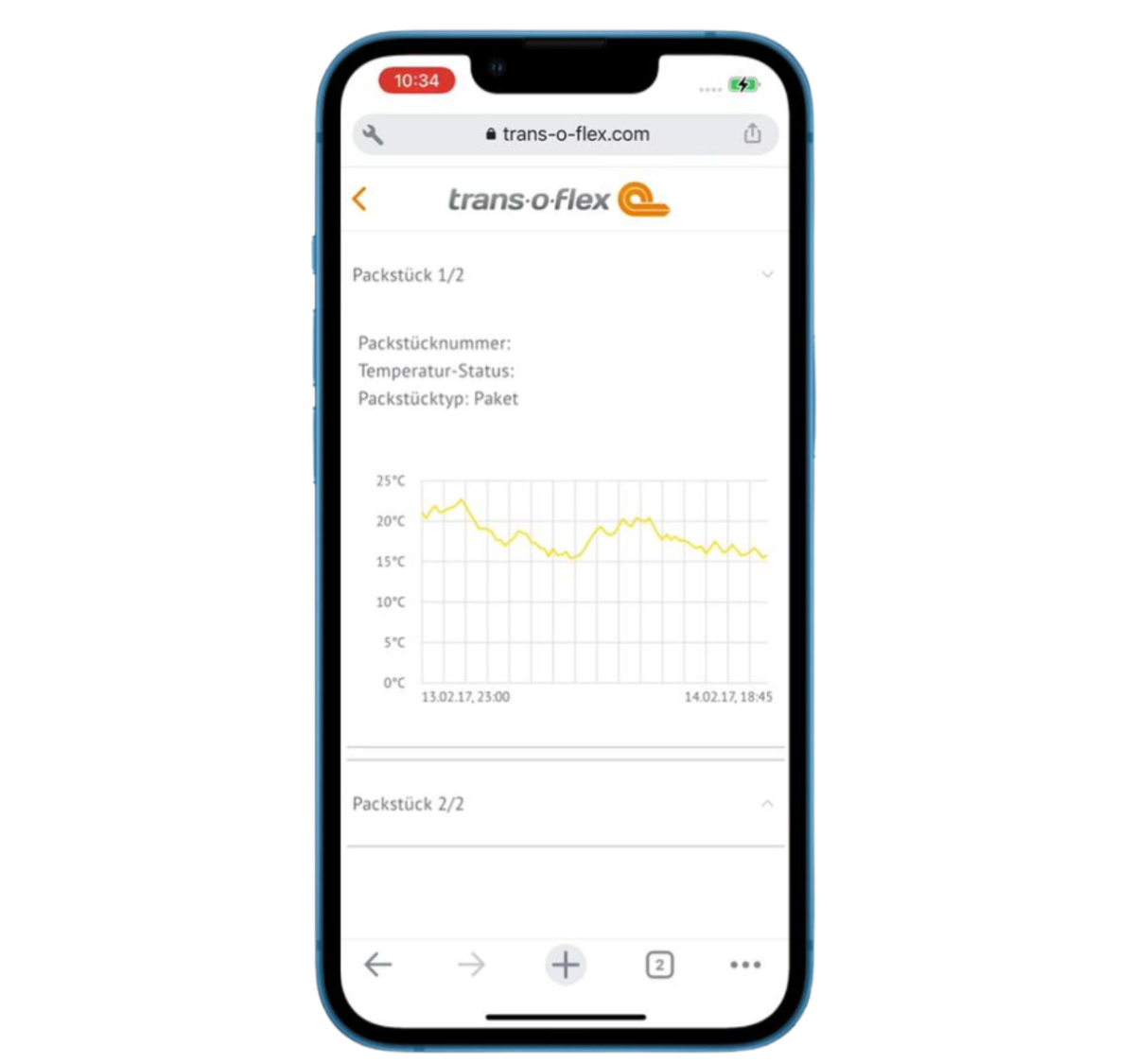
Temperature monitoring – ensuring outstanding quality
A detailed temperature graph provides complete transparency for the duration of the shipment in the form of Ambient Express (15°C–25°C) and Thermo Express (2°C–8°C).
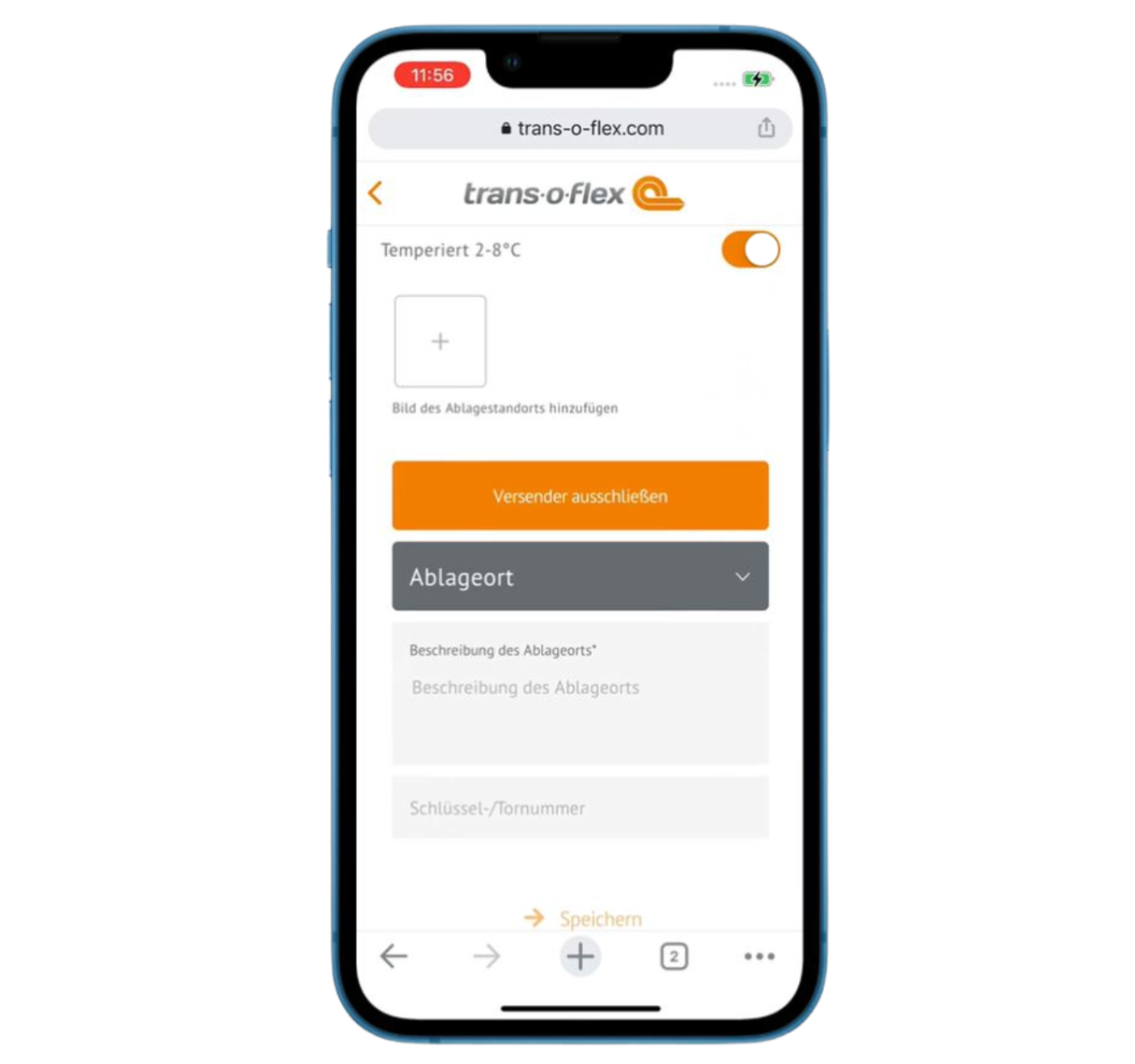
Delivery agreement – flexible drop-off locationsen
Receive your consignments on time even when nobody is available to accept them in person: simply specify one or more designated drop-off locations and upload photographs of your preferred delivery location. The delivery authorisation can be revoked at any time. You can obtain additional information here: Delivery agreement for recipients
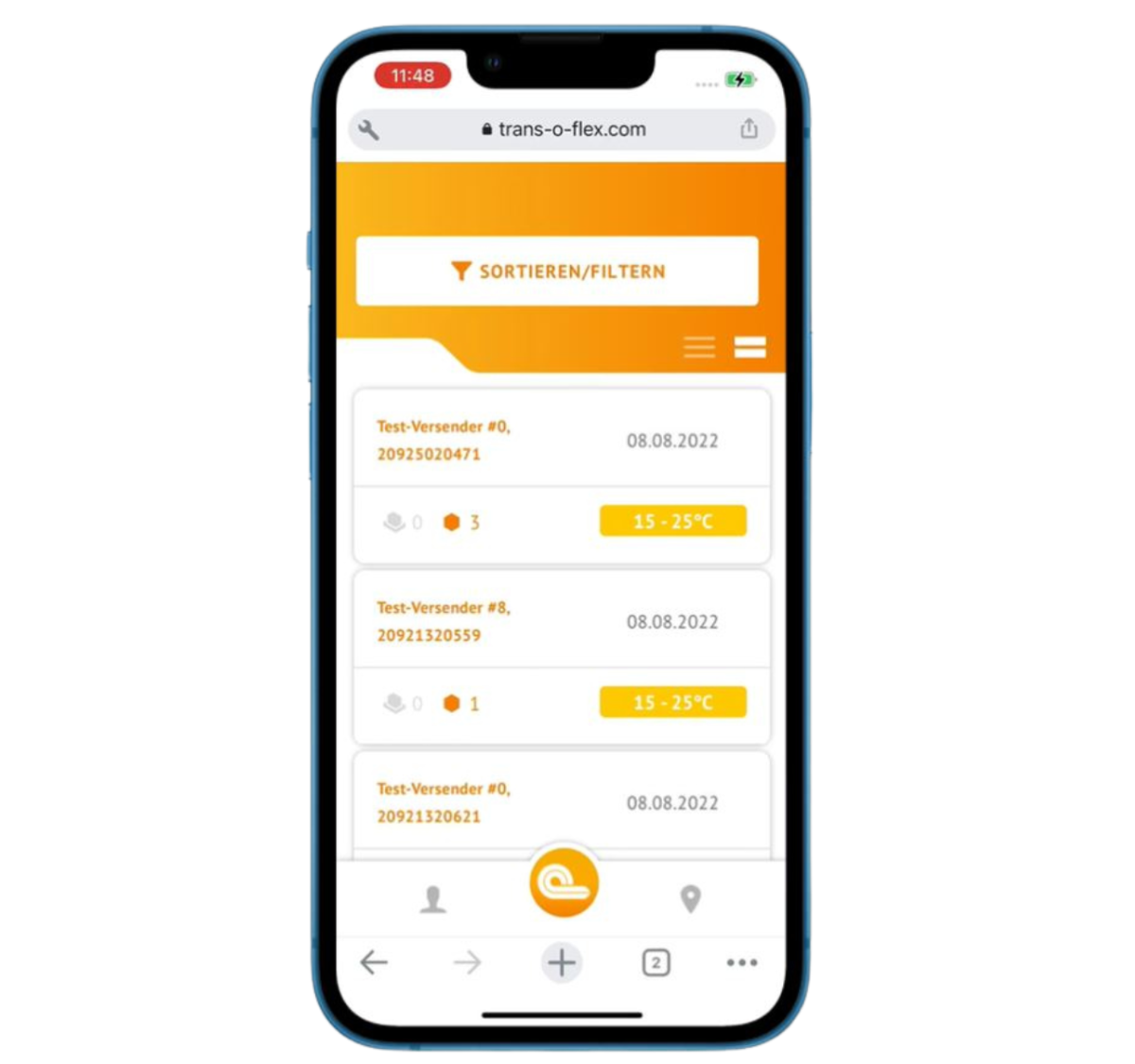
History – looking back made easy
The history function makes it possible for you to search all consignments from the previous 14 days.
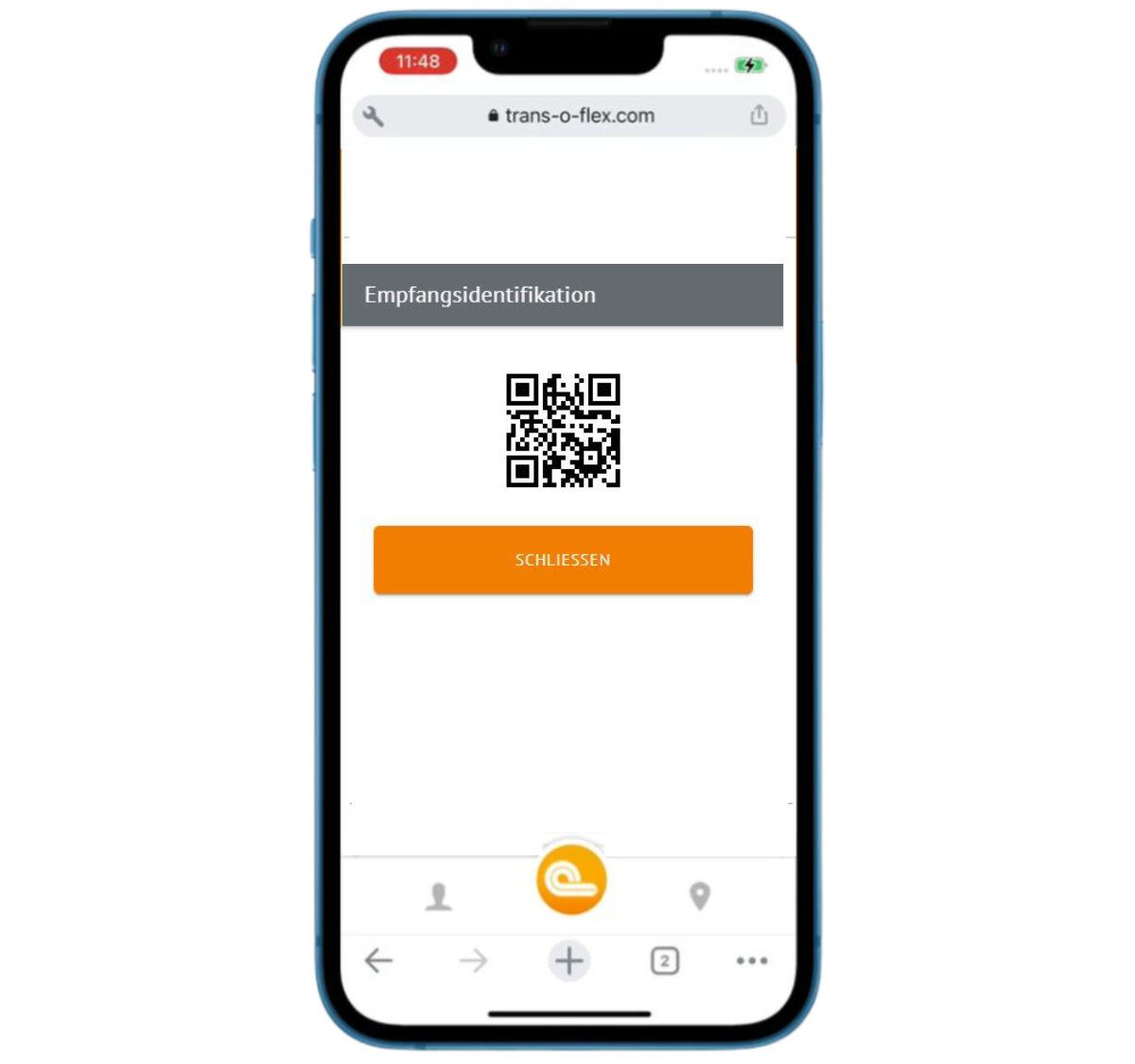
Ident Service – personal and secure
Consignments sent using the Ident Service are marked with a key symbol. A QR code can be displayed at the touch of a button. This QR code must be presented upon delivery and is used to uniquely verify the authorised recipient.
Your Digital Companion across all devices
trans-o-flex insight is available both as an app and as a desktop version. You can flexibly use both versions either as a guest or as a registered user. By registering, you can also benefit from a range of additional functions.
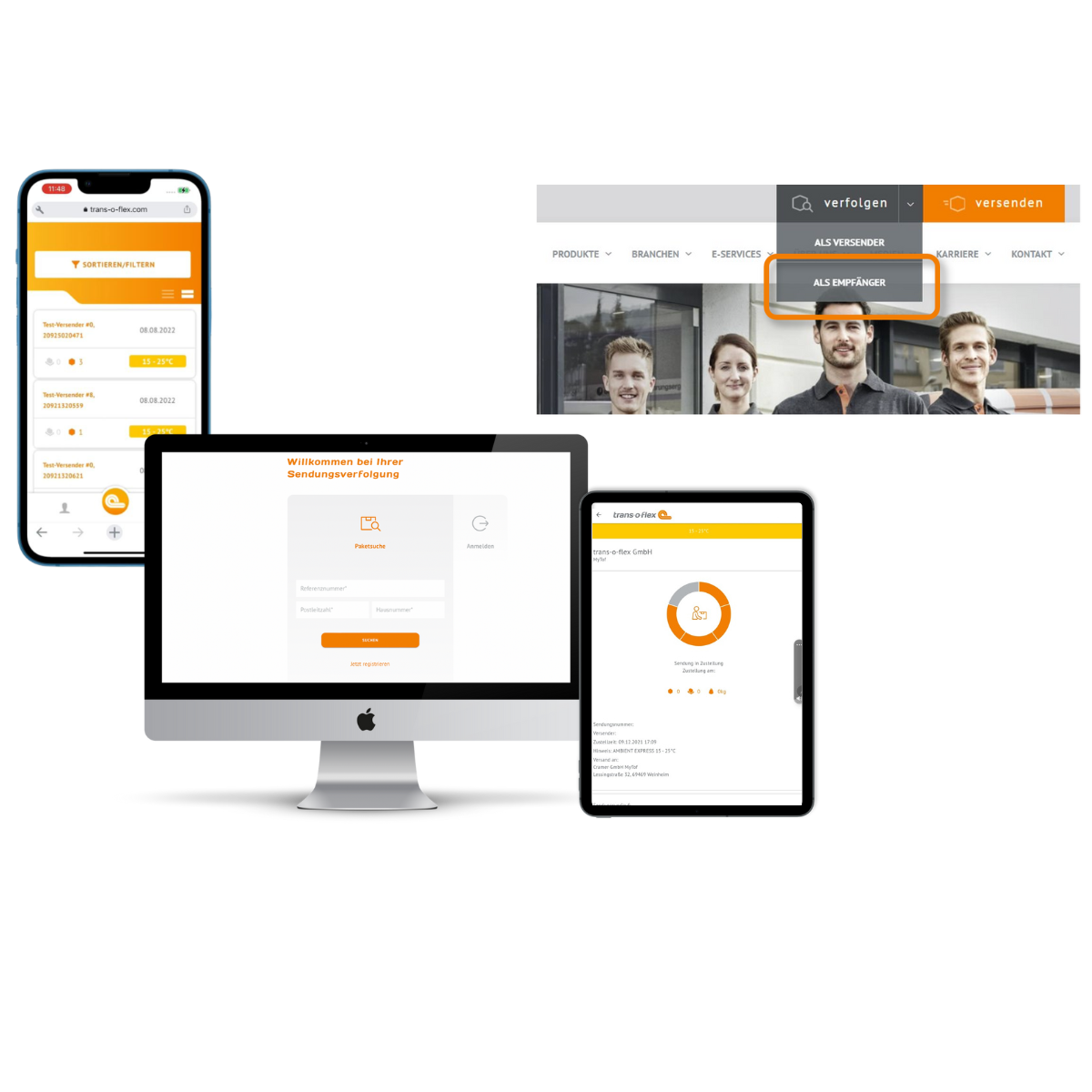




Register now and enjoy the benefits
Registration provides you with the following advantages: You keep track of all your consignments, you can make use of filter and sorting functions, you can track temperature graphs and much more besides.
Consignment tracking as a guest
You can also benefit from our consignment tracking service without registering: simply enter the consignment number, your postcode and the house number for verification.
Registration with trans-o-flex insight – step by step
- Download the app from the App Store or Google Play, or use the desktop version.
- Click on “Register”. Enter your personal details and choose a password.
- You will receive a verification code by email. Follow the instructions in the email.
- Enter your address.
- Within five days, you will receive a letter by post at the address you have provided. The letter will contain your insightTAN.
Please note: For security reasons, the insightTAN cannot be sent by email or SMS, as your postal address must first be verified. - Once you have received the letter, enter your insightTAN in the app or desktop version. Only then is your registration fully complete.
Tip:
Until you receive the insightTAN by post, you can log out and return to the input screen later.
In the meantime, you can use the consignment tracking without logging in.
- If you have not received your letter containing the insightTAN after five days: Check the address you entered in the app or desktop version and correct it if necessary.
- Click on “Send insightTAN again”.
- You will receive a new insightTAN by post.
FAQ
I would like my consignments delivered to two different addresses. Can I view both in one account?
Unfortunately not. You will need to create a separate account for each address.
Is it possible to share my account with multiple people?
Unfortunately, this is not possible.
Can I select my preferred delivery day in trans-o-flex insight?
Unfortunately, not. Please contact your sender to arrange a preferred delivery date.
Is my completed delivery authorisation valid for all consignments?
The delivery authorisation is only valid for consignments where the sender has provided their consent. It is also invalid for consignments combined with the following special services: Hazardous goods, island service, cash on delivery (COD), confidential. You can see for each incoming consignment whether the shipper has approved the Delivery agreement or not. Further details are available here: Delivery agreement for recipients.
How can I delete or amend my personal data in the app?
If you wish to delete specific information from the app—such as your activity and transaction history or photographs—without deleting your entire account, you can contact us. Please send an e-mail
and state which specific data you want to have removed. Our Support Team will assist you in deleting this information from your account.
If, however, you wish to have your entire account deleted, please proceed as follows:
- Log into your customer account in the app. Go to the functions menu and click on the profile area.
- Select the “Delete account” option.
- Confirm your decision by following the on-screen instructions.
Please note that the deletion of individual data or your entire account is irreversible. As a result, you may no longer be able to access certain functions or content within the app. Please ensure that you have made an informed decision and, where appropriate, create a backup copy of your data before commencing the deletion process.
Further information on the processing of your personal data can be found in our Privacy Policy.
I accidentally entered the wrong delivery address when placing my order. Whom should I notify about the change?
Please contact the sender and ask them to arrange an address correction. The sender will subsequently notify us of the updated address.
I accepted delivery but now wish to return the consignment to the sender. How do I arrange the return shipments?
Please get in touch with the sender. Only the sender can instruct trans-o-flex to arrange a return.
.
I was not at home when delivery of my consignment was first attempted. Can I request a second delivery attempt?
Within Germany, the following applies: In the case of Ambient Express (15–25°C) or non-temperature-controlled consignments, a second delivery attempt can only be requested by the sender. We recommend that you always contact your sender.
Do you have any general questions?
Click here for our general Questions & Answers.
Rechtliches
Nutzungsbedingungen „trans-o-flex insight“
1. Anwendungsbereich
1.1 Eine Nutzung der von der trans-o-flex Express GmbH & Co KGaA und trans-o-flex ThermoMed GmbH (nachfolgend trans-o-flex) angebotenen Empfängerservices „trans-o-flex insight“ über die App oder die Web App ist ausschließlich aufgrund dieser Nutzungsbedingungen zulässig. Die trans-o-flex ist jederzeit berechtigt, den Inhalt dieser Nutzungsbedingungen ohne jede Vorankündigung zu ändern und entsprechend bekannt zu geben.
1.2 Durch die Aufnahme der Nutzung der trans-o-flex insight App bzw. der Web App wird die Geltung dieser Nutzungsbedingungen in ihrer jeweiligen Fassung akzeptiert.
2. Leistungen
2.1 Die trans-o-flex hält in der trans-o-flex insight App und der Web App über die Homepage unentgeltlich bestimmte Informationen zum Abruf oder Herunterladen bereit.
2.2 Die trans-o-flex ist berechtigt, jederzeit den Betrieb der trans-o-flex insight App und der Web App ganz oder teilweise einzustellen. und übernimmt keine Gewähr für die ununterbrochene Verfügbarkeit der Applikation und der Web App.
3. Nutzung, Registrierung, Passwort
3.1 Die Nutzung der Applikation und der Web App ist kostenlos und kann mit und ohne Registrierung erfolgen.
3.2 Ohne Registrierung besteht die Möglichkeit, die Sendungsnachverfolgung für einzelne Pakete zu nutzen. Hierfür ist im entsprechenden Feld die Eingabe der Sendungsnummer, der Postleitzahl und der Hausnummer erforderlich.
3.3 Die dauerhafte Nutzung des Empfängerservices zur Sendungsnachverfolgung für alle zu empfangenden Sendungen erfordert eine Registrierung und die Vergabe eines Passwortes. Zum Abschluss der Registrierung erhält der Nutzer postalisch eine TAN, mit der er sich beim Login verifizieren muss.
4. Nutzungsrechte an Informationen, Software und Dokumentation
4.1 Die Nutzung der auf der Applikation zur Verfügung gestellten Informationen, Software und Dokumentation unterliegt diesen Bedingungen in der jeweils aktuellen Fassung.
4.2 Sämtliche Rechte (z.B. Copyrights, Urheber- oder Markenrechte) in Bezug auf die in trans-o-flex insight App und die Web App auf der Homepage eingestellten Inhalte verbleiben bei der trans-o-flex.
4.3 Die trans-o-flex räumt dem Nutzer ein nicht ausschließliches und nicht übertragbares Recht ein, die in der Applikation und der Web App überlassenen Informationen, Software und Dokumentation zu nutzen.
4.4 Dem Nutzer ist es untersagt, Informationen, übermittelte Daten, die Software sowie die Dokumentationen zu irgendeinem Zeitpunkt an Dritte zu übertragen, zu verleihen, zu vermieten oder ihnen in sonstiger Weise zugänglich zu machen. Die trans-o-flex behält sich das Recht vor, den trans-o-flex insight vorübergehend oder dauerhaft zu sperren, falls der Verdacht auf eine missbräuchliche oder fehlerhafte Nutzung besteht.
4.5 Ungeachtet der besonderen Bestimmungen in Ziffer 4 dieser Nutzungsbedingungen dürfen Informationen, übermittelte Daten, Markennamen und sonstige Inhalte von der Applikation ohne vorherige schriftliche Genehmigung der trans-o-flex weder verändert, kopiert, vervielfältigt, verkauft, vermietet, genutzt, ergänzt oder sonst wie verwertet werden.
4.6 Außerhalb der hierin ausdrücklich eingeräumten Nutzungsrechte oder sonstiger Rechte, werden dem Nutzer keine weiteren Rechte gleich welcher Art, insbesondere an dem Firmennamen und an gewerblichen Schutzrechten, wie Patenten, Gebrauchsmustern oder Marken eingeräumt, noch trifft trans-o-flex eine entsprechende Pflicht, derartige Rechte einzuräumen.
4.7 Soweit der Nutzer auf der Applikation Ideen und Anregungen hinterlegt, ist die trans-o-flex berechtigt diese zur Entwicklung, Verbesserung und zum Vertrieb der Produkte aus ihrem Portfolio unentgeltlich verwerten.
5. Pflichten des Nutzers
5.1 Der Nutzer darf bei Nutzung der Applikation bzw. der Web App nicht mit seinem Nutzungsverhalten gegen die guten Sitten verstoßen, gewerbliche Schutz-, Urheber-, Persönlichkeits-, Eigentumsrechte oder sonstige Rechte Dritter verletzen und Inhalte mit Viren, oder sonstige Programmierungen, die Software beschädigen können, übermitteln.
5.2 Die trans-o-flex darf den Zugang zu der Applikation und der Web App jederzeit sperren, insbesondere wenn der Nutzer gegen seine Pflichten aus diesen Bedingungen verstößt.
5.3 Der registrierte Nutzer ist verpflichtet, Benutzername und Passwort seines durch Registrierung angelegten Kundenkontos geheim zu halten und trägt dafür Sorge, dass kein unberechtigter Dritter Kenntnis von diesen Daten erhält. Der Nutzer ist verpflichtet, sein Passwort unverzüglich zu ändern, wenn er vermutet, dass unberechtigte Dritte davon Kenntnis erlangt haben. Der Nutzer haftet gegenüber der trans-o-flex für Schäden, die durch die Verletzung dieser Pflichten entstehen.
5.4 Der Nutzer ist bei Änderungen und Ergänzungen (zB. Umzug, Änderung der E-Mail-Adresse), die sich auf Sendungsnachverfolgung auswirken, verpflichtet, seine Daten unverzüglich über die Applikation oder die Web App auf der Homepage zu ändern. Andernfalls übernimmt die trans-o-flex keine Gewähr für eine ordnungsgemäße Bereitstellung des Services.
6. Haftung für Rechts- und Sachmängel
6.1 Sofern Informationen, Software oder Dokumentation unentgeltlich überlassen werden, ist eine Haftung für Sach- und Rechtsmängel der Informationen, Software und Dokumentation, insbesondere für deren Richtigkeit, Fehlerfreiheit, Freiheit von Schutz- und Urheberrechten Dritter, Vollständigkeit und/oder Verwendbarkeit – außer bei Vorsatz oder Arglist – ausgeschlossen.
6.2 Die Informationen in der Applikation und der Web App können Spezifikationen oder allgemeine Beschreibungen technischer Möglichkeiten von Produkten enthalten, welche im Einzelfall nicht immer vorliegen müssen. Die gewünschten Leistungsmerkmale der Produkte sind daher im Einzelfall bei Vertragsschluss zu vereinbaren.
7. Sonstige Haftung, Viren
7.1 Die Haftung der trans-o-flex für Sach- und Rechtsmängel richtet sich nach den Bestimmungen in Ziffer 8 dieser Nutzungsbedingungen. Im Übrigen ist jegliche Haftung der trans-o-flex für Schäden ausgeschlossen, soweit nicht z.B. nach dem Produkthaftungsgesetz, wegen Vorsatzes, grober Fahrlässigkeit, wegen Verletzung des Lebens, des Körpers oder Gesundheit, wegen der Übernahme einer Beschaffenheitsgarantie, wegen arglistigen Verschweigens eines Mangels oder wegen der Verletzung wesentlicher Vertragspflichten zwingend gehaftet wird. Der Schadensersatz wegen Verletzung wesentlicher Vertragspflichten ist jedoch auf den vertragstypischen, vorhersehbaren Schaden begrenzt, soweit nicht Vorsatz oder grobe Fahrlässigkeit vorliegt.
7.2 Obgleich sich die trans-o-flex stets bemüht, die Applikation und der Web App virenfrei zu halten, garantiert die trans-o-flex keine Virenfreiheit. Vor dem Herunterladen von Informationen, Software und Dokumentation wird der Nutzer zum eigenen Schutz sowie zur Verhinderung von Viren auf der Applikation und der Web App für angemessene Sicherheitsvorrichtungen und Virenscanner sorgen.
8. Schlussbestimmungen
8.1 Nebenabreden bedürfen der Schriftform.
8.2 Gerichtsstand ist, soweit gesetzlich zulässig, Mannheim. Es gilt deutsches Recht unter Ausschluss des UN-Kaufrechts.
Interest aroused or still questions?
Our experts are there for you!
Our experts are there for you!

