
Using trans-o-flex insight, recipients always retain an overview of their consignments – it is available for smartphones, tablets and desktop computers.
Consignment Tracking for Recipients using trans-o-flex insight
What is trans-o-flex insight?
trans-o-flex insight provides recipients with a comprehensive overview of their consignment details and transparently displays estimated delivery times and temperature data.
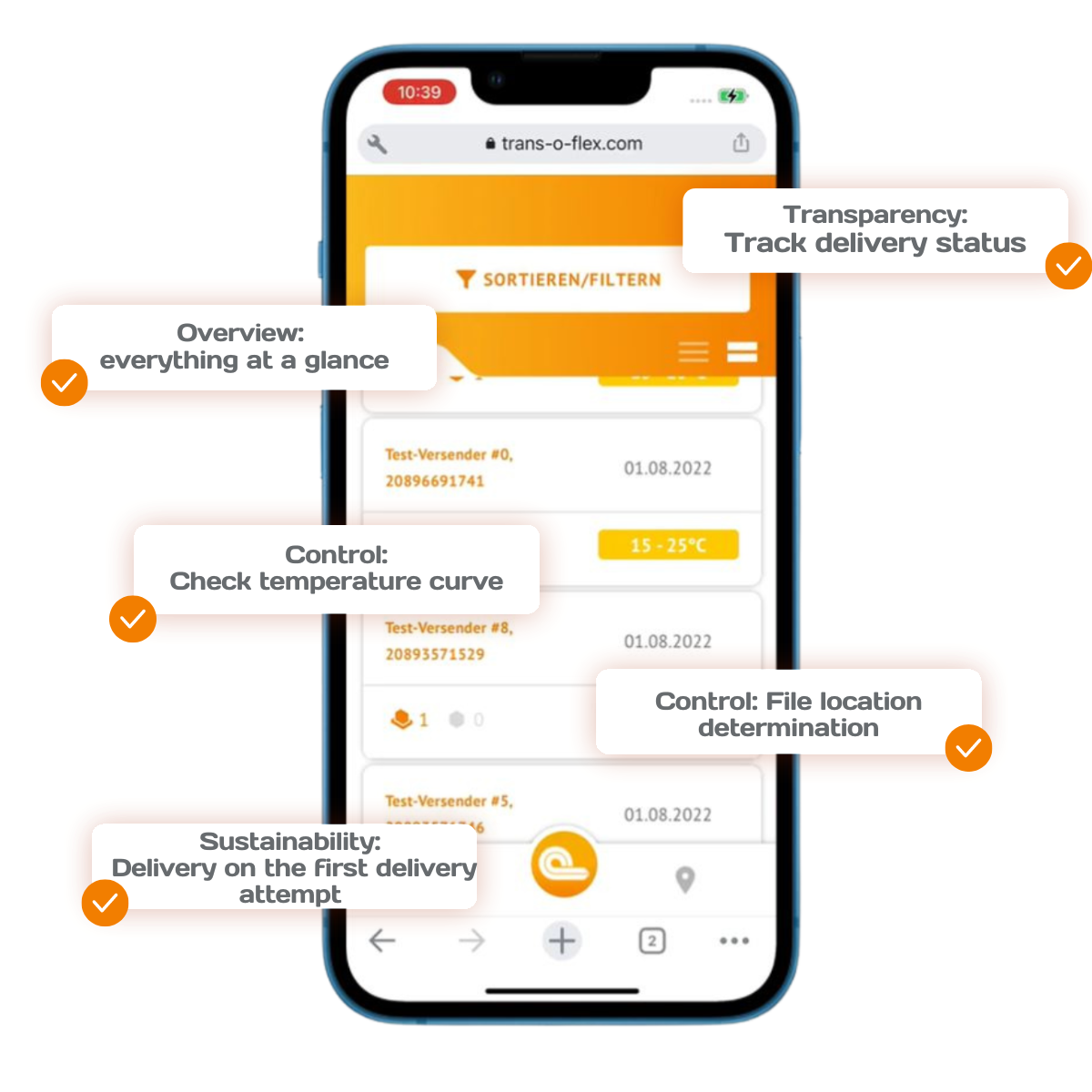
Which functions does trans-o-flex insight offer?
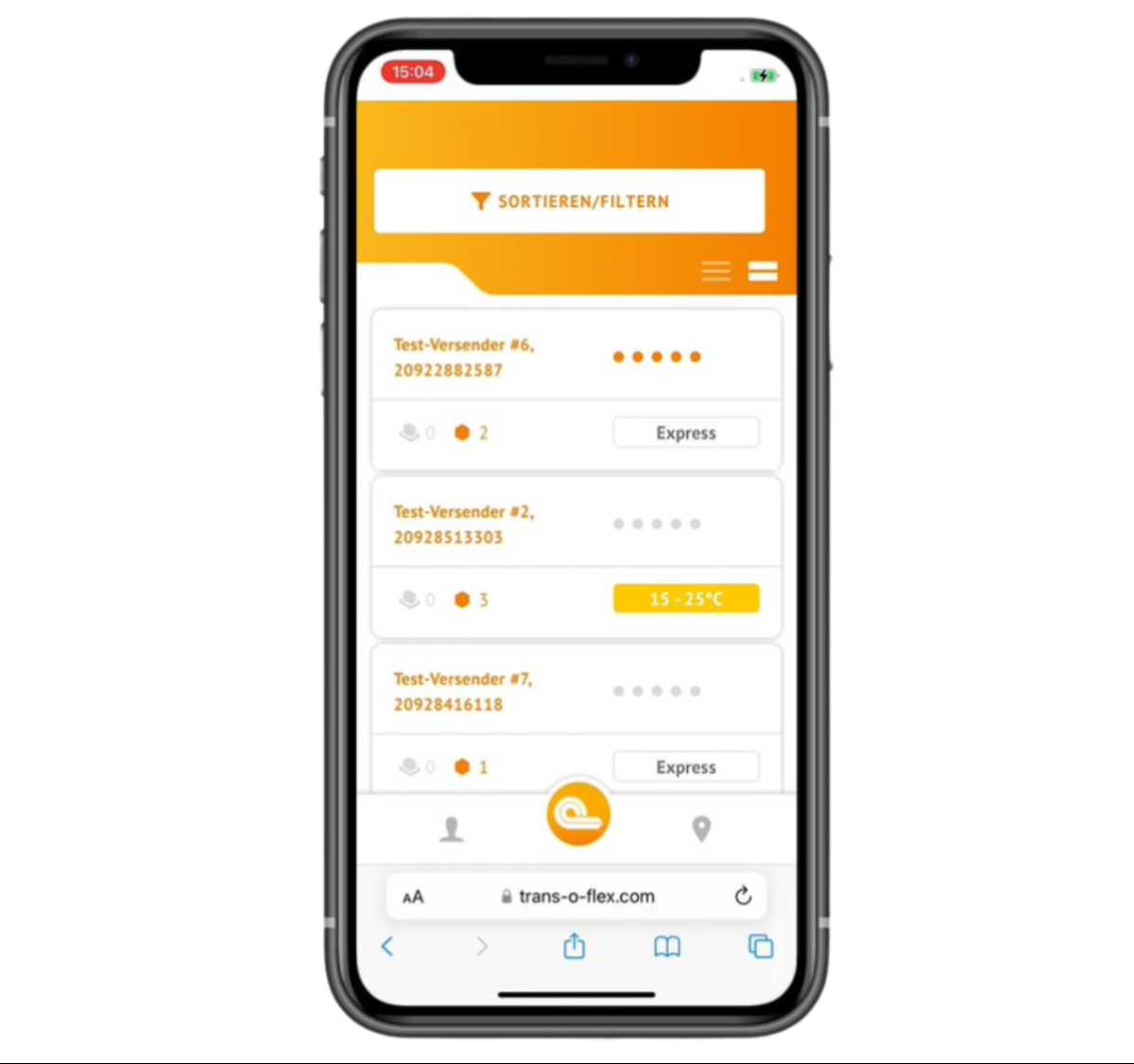
Delivery notifications – always one step ahead
An overview of all consignments that are currently in transit, including: The number of incoming parcels, sender names, consignment details such as express consignments, cash-on-delivery consignments, hazardous goods or actively temperature-controlled parcels.
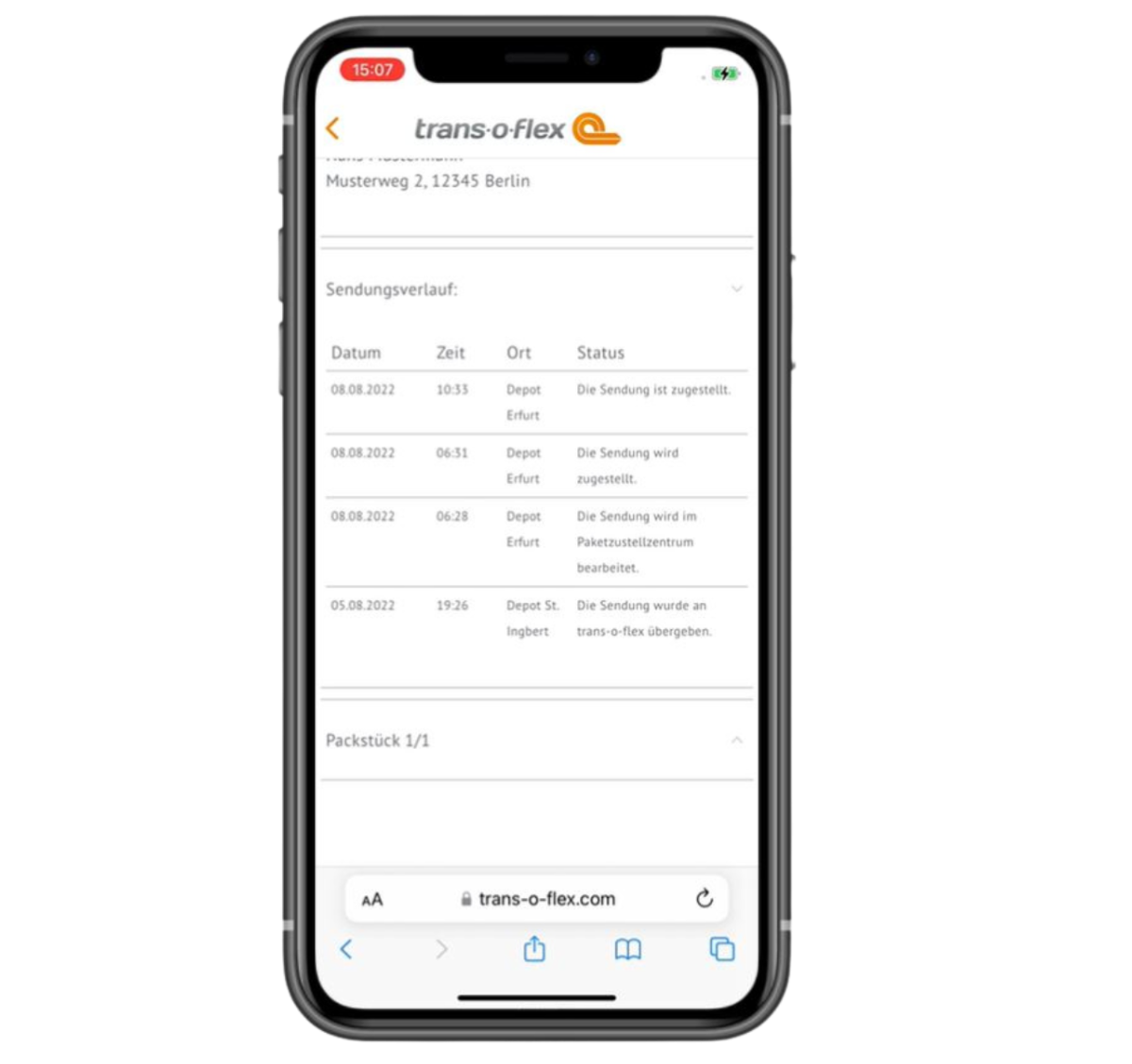
Consignment details – a closer look
The detailed view displays comprehensive information about each consignment, including: the estimated delivery time, the weight, the consignment number or the consignment status as an overview or history logs.
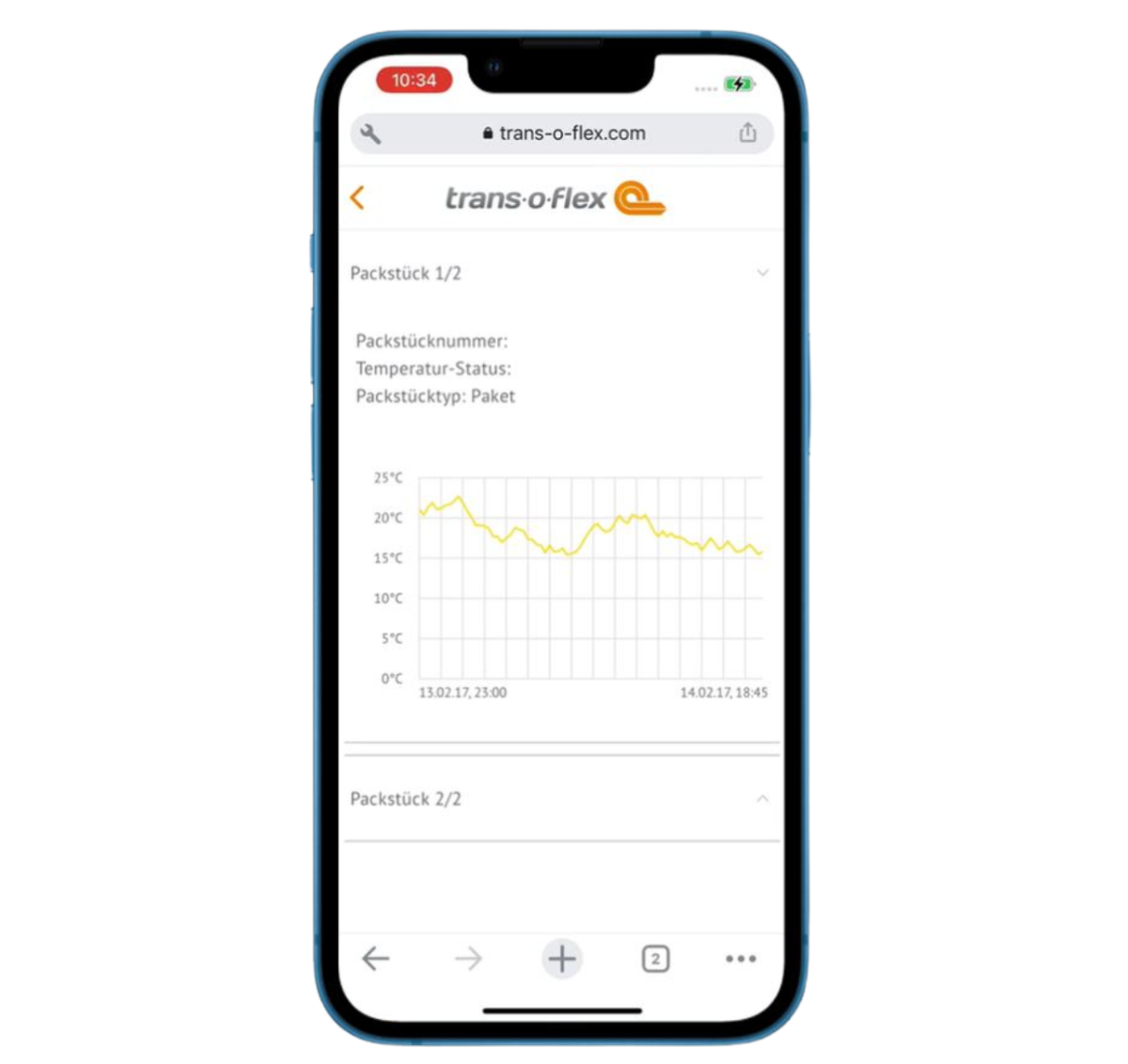
Temperature monitoring – ensuring outstanding quality
A detailed temperature graph provides complete transparency for the duration of the shipment in the form of Ambient Express (15°C–25°C) and Thermo Express (2°C–8°C).
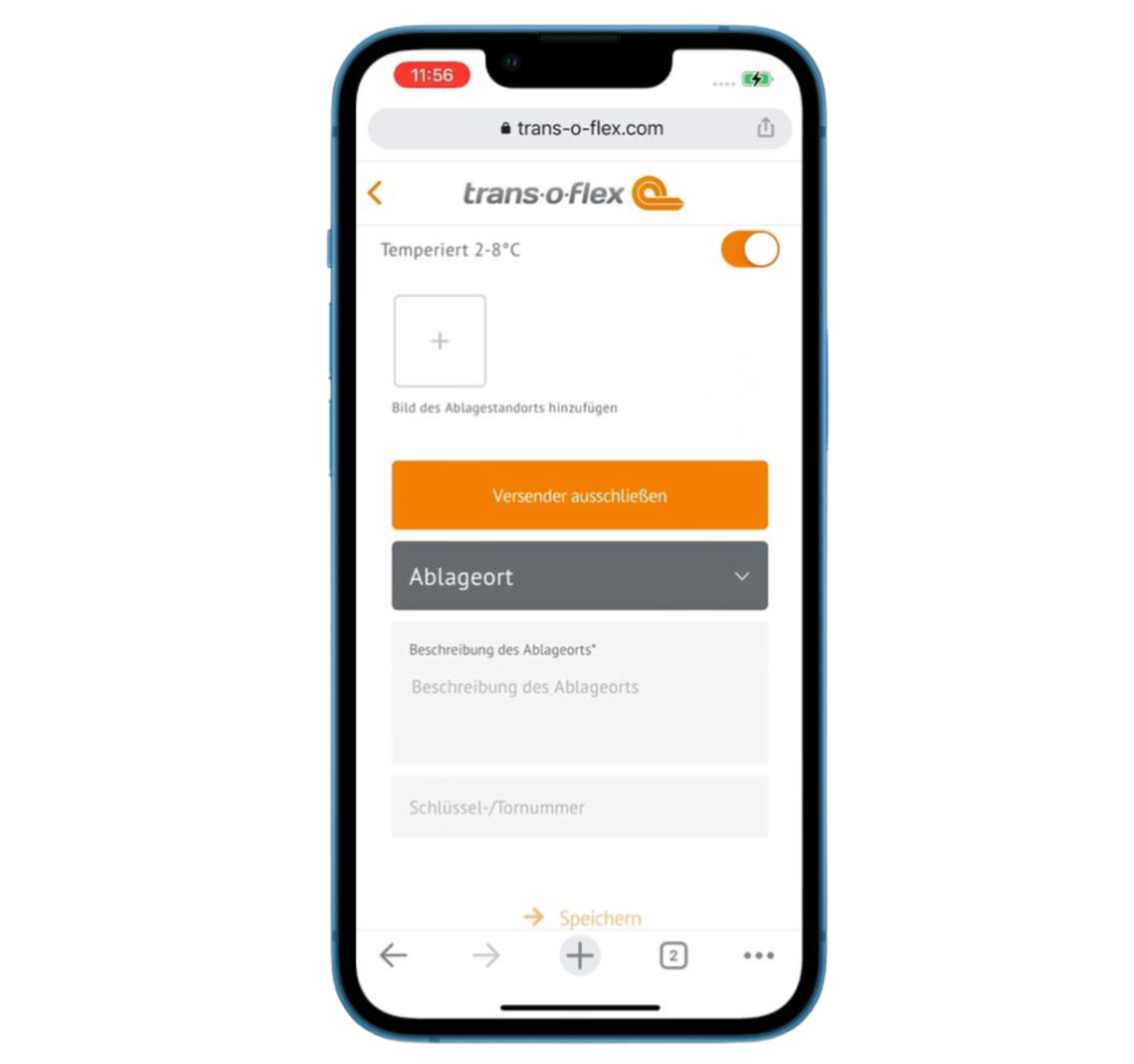
Delivery agreement – flexible drop-off locationsen
Receive your consignments on time even when nobody is available to accept them in person: simply specify one or more designated drop-off locations and upload photographs of your preferred delivery location. The delivery authorisation can be revoked at any time. You can obtain additional information here: Delivery agreement for recipients
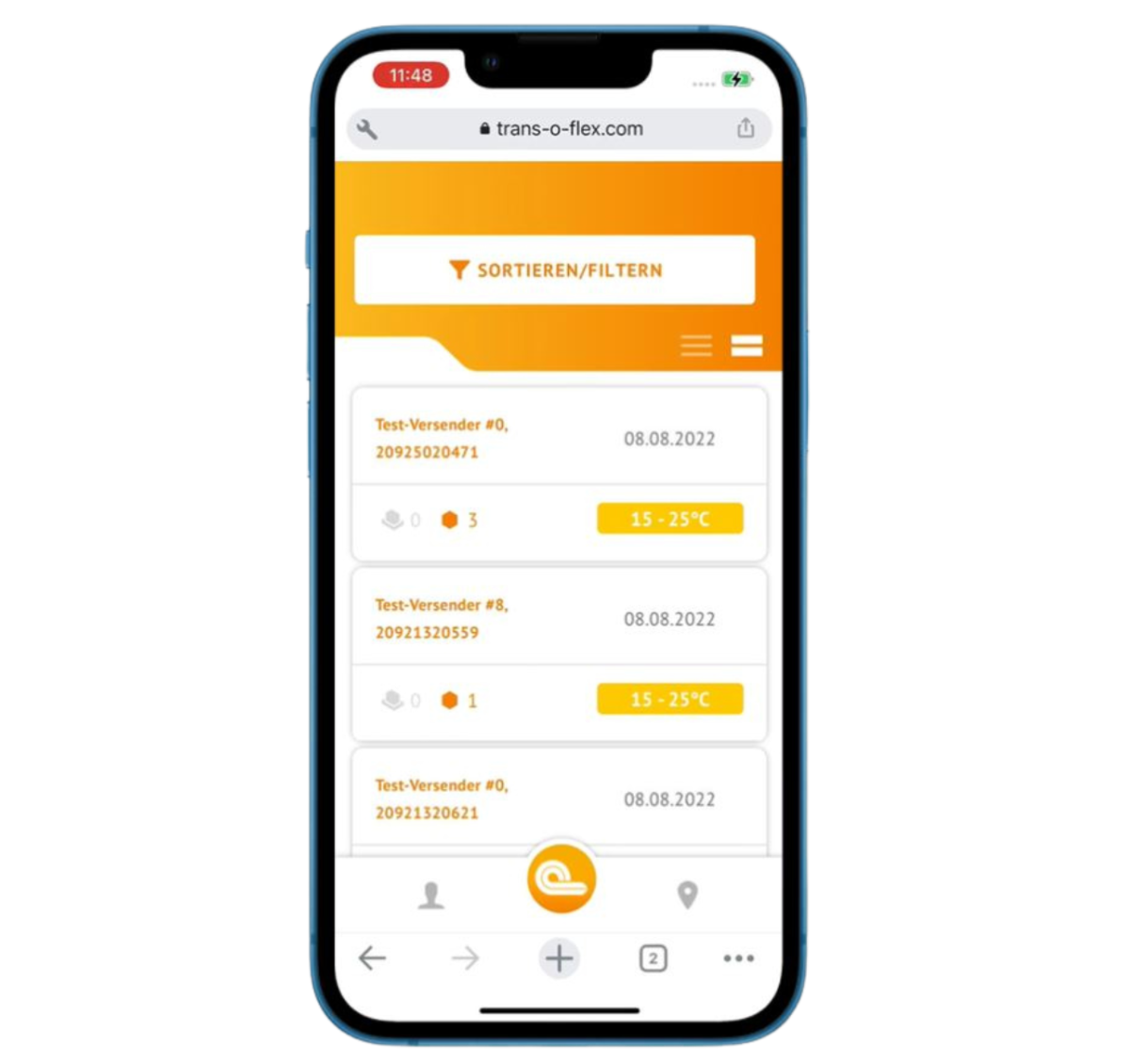
History – looking back made easy
The history function makes it possible for you to search all consignments from the previous 14 days.
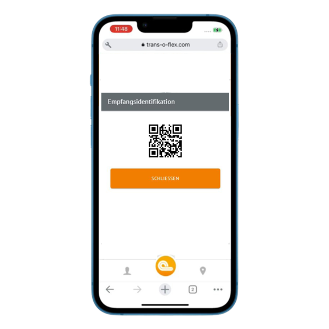
Ident Service – personal and secure
Consignments sent using the Ident Service are marked with a key symbol. A QR code can be displayed at the touch of a button. This QR code must be presented upon delivery and is used to uniquely verify the authorised recipient.
Your Digital Companion across all devices
trans-o-flex insight is available both as an app and as a desktop version. You can flexibly use both versions either as a guest or as a registered user. By registering, you can also benefit from a range of additional functions.
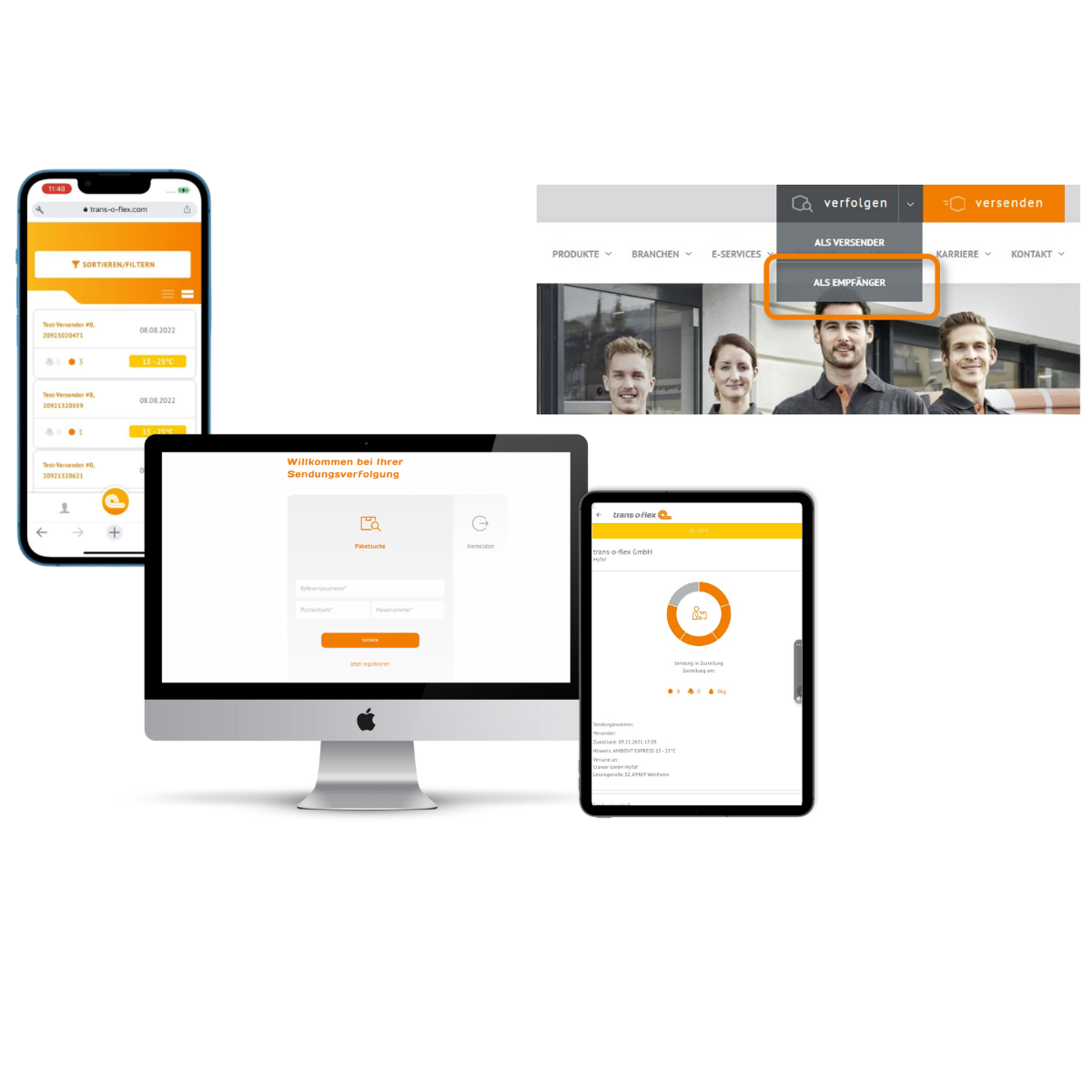




Register now and enjoy the benefits
Registration provides you with the following advantages: You keep track of all your consignments, you can make use of filter and sorting functions, you can track temperature graphs and much more besides.
Consignment tracking as a guest
You can also benefit from our consignment tracking service without registering: simply enter the consignment number, your postcode and the house number for verification.
Registration with trans-o-flex insight – step by step
- Download the app from the App Store or Google Play, or use the desktop version.
- Click on “Register”. Enter your personal details and choose a password.
- You will receive a verification code by email. Follow the instructions in the email.
- Enter your address.
- Within five days, you will receive a letter by post at the address you have provided. The letter will contain your insightTAN.
Please note: For security reasons, the insightTAN cannot be sent by email or SMS, as your postal address must first be verified. - Once you have received the letter, enter your insightTAN in the app or desktop version. Only then is your registration fully complete.
Tip:
Until you receive the insightTAN by post, you can log out and return to the input screen later.
In the meantime, you can use the consignment tracking without logging in.
- If you have not received your letter containing the insightTAN after five days: Check the address you entered in the app or desktop version and correct it if necessary.
- Click on “Send insightTAN again”.
- You will receive a new insightTAN by post.
FAQ
Registration
How do I register for trans-o-flex insight?
App version:
Download the trans-o-flex insight app from the App Store or Google Play Store and create a user account. Following this you have to verify your address using the insightTAN sent to you by post. Once the verification has been completed successfully, you can use all the app’s functions.
Desktop version:
Click on Track consignments for recipients and create a user account by selecting “Log in” / “Register now” (“Anmelden” / “Jetzt registrieren”). Following this you have to verify your address using the insightTAN sent to you by post. Once the verification has been completed successfully, you can use all the desktop version’s functions.
You can find step-by-step instructions here: Registration
Why do I need to verify my address using an insightTAN?
The verification process is intended to protect your personal data and ensure that your address is verified correctly. This ensures that consignment information is only displayed to the person entitled to access it.
When will I receive my insightTAN?
You will receive your insightTAN in a letter by post at the address you have provided, within 5 days.
I have not received my insightTAN. What can I do?
If you have not received your letter containing the insightTAN after five days:
- Check the address you entered in the app or desktop version and correct it if necessary.
- Click on “Send insightTAN again”.
- You will receive a new insightTAN by post.
Can I use trans-o-flex insight without registering?
Yes. You can track individual consignments using the guest function. However, registration is required to access additional functions, such as the automatic display of all your consignments or delivery options.
Which devices and operating systems are supported?
The app is available for the iOS and Android operating systems, as well as in a web version.
The web version can be accessed flexibly via any common web browser on computers, regardless of the operating system, and does not necessarily require installation.
Consignment tracking
Why is my consignment not displayed in the app/desktop version?
The consignment must be addressed to the verified address.
How can I find my consignment?
You can either view your consignment automatically in the app/desktop version after registering, or search for it manually using the reference number provided, your postcode and your house number: track your consignment
How long will my consignments remain visible in the app/desktop version?
Consignments remain stored in your consignment history for up to 14 days after delivery.
Can I track several consignments at the same time?
Yes. All consignments addressed to your verified address that you are authorised to view are clearly displayed in the app/desktop version.
Delivery
Can I choose a preferred delivery date?
No. A preferred delivery date can only be requested by the consignor. If you have any questions, please contact your consignor directly.
Can I provide permission for my consignment to be left in a safe place?
Yes. You can grant permission for your consignment to be left in a safe place via the app/desktop version and select a suitable place for it to be stored. Please note that this permission for your consignment to be left in a safe place can only be used under certain conditions. You can read more about this here: Permission for your consignment to be left in a safe place for recipients
Is my completed delivery authorisation valid for all consignments?
No. The delivery authorisation is only valid for consignments where the consignor has provided their consent. It is also invalid for consignments combined with the following special services: Hazardous goods, island service, cash on delivery (COD), confidential. You can see for each incoming consignment whether the shipper has approved the Delivery agreement or not. Further details are available here: Delivery agreement for recipients
Can I change my delivery address at a later date?
Yes. Please contact the consignor and ask them to arrange an address correction. The consignor will subsequently notify us of the updated address.
What happens if I am not at home when the delivery is due to take place?
Depending on the type of service, we will make one or two delivery attempts. If the consignment cannot be delivered after this, the consignor decides whether it should be delivered again, sent to another address or returned.
Within Germany:
Express network (15–25°C and non-temperature-controlled): one delivery attempt
ThermoMed network (2–8°C): two delivery attempts; the second is made automatically on the next working day
Within Austria:
ThermoMed network (15- 25°C 2–8°C): two delivery attempts, the second is made automatically on the next working day
Can I arrange for a consignment to be delivered to a neighbour or a parcel locker?
Unfortunately, this is not possible.
I have two different delivery addresses (e.g. two branches). Can I view the status of consignments sent to both addresses in one account?
No. You will need to create a separate account for each address.
Returns
Can I register a return via trans-o-flex insight?
As the recipient, you cannot request a return. The application can only be made by the consignor. We recommend that you contact your consignor.
Where can I find my returns label?
The returns label must be requested by the consignor. If you wish to return a consignment, please contact your consignor.
Can I track the status of my return?
Yes. You can track the status of your return using the consignment number and the recipient or return address provided.
Account & Settings
Can I store several addresses in one account?
No. Unfortunately that is not possible.
Can several people use the same account?
No. For data protection and security reasons, each account is intended for use by one individual.
How do I change my password?
To change the password, you have to go to your account settings and, under the Profile section, select “Change password” („Passwort ändern“) to set a new password.
I have forgotten my password. What can I do?
Please use the “password forgotten” („Passwort vergessen?“) function to set a new password.
Can I delete my account?
Yes. You can delete your account at any time. Please note that this will remove your stored data and settings. You can find further questions and answers on this subject under the topic of Data Protection.
Data Protection
Which personal data are stored?
All personal data that you enter during the registration process is stored.
How are my data protected?
Your data are processed in accordance with the applicable data protection regulations and are used exclusively to provide the functions of the desktop and app versions.
How can I delete or amend my personal data in the app/desktop version?
If you wish to delete specific information from the app/desktop version —such as your activity and transaction history or photographs—without deleting your entire account, you can contact us. Please send an email and state which specific data you want to have removed. Our Support Team will assist you in deleting this information from your account.
If, however, you wish to have your entire account deleted, please proceed as follows:
- Log into your customer account in the app/desktop version. Go to the functions menu and click on the profile area.
- Select the “Delete account” option.
- Confirm your decision by following the on-screen instructions.
Please note that the deletion of individual data or your entire account is irreversible. As a result, you may no longer be able to n access certain functions or content within the app/desktop version. Please ensure that you have made an informed decision and, where appropriate, create a backup copy of your data before commencing the deletion process.
What happens to my data after my account has been deleted?
All your data will be deleted once your account has been deleted.
General
Is there a charge for using the app or desktop version?
No. Both the app and the desktop version are free of charge.
In which languages is the app/desktop version available?
The app and desktop versions are only available in German.
Whom can I contact if I experience technical problems?
If you require assistance, please contact the trans-o-flex customer services team.
What is the Ident service?
The Ident service ensures that your consignment is delivered exclusively to a specific person or to a specific location. Further details are available here: trans-o-flex ident
Legal information
Terms of Use for “trans-o-flex insight”
1. Scope of Application
1.1 The recipient services “trans-o-flex insight” offered by trans-o-flex Express GmbH & Co. KGaA and trans-o-flex ThermoMed GmbH (hereinafter referred to as “trans-o-flex”) may only be used via the app or the web app subject to these Terms of Use. trans-o-flex is entitled to amend the content of these Terms of Use at any time without prior notice and to publish the amended version accordingly.
1.2 By beginning to use the trans-o-flex insight app or the Web app, the user accepts the validity of these terms of use in their current version.
2. Services
2.1 trans-o-flex provides certain information free of charge that can be retrieved or downloaded via the trans-o-flex insight app and the web app, which is accessible via the website.
2.2 trans-o-flex is entitled to discontinue the operation of the trans-o-flex insight app and the web app, either in whole or in part, at any time and accepts no responsibility for the uninterrupted availability of the application and the web app.
3. Use, Registration, Password
3.1 Use of the application and the web app is free of charge and is possible with or without registration.
3.2 Without registering, it is possible to use the parcel tracking service for individual parcels. To do this, it is necessary to enter the consignment number, postcode and house number in the relevant fields.
3.3 For the ongoing use of the recipient service to track all the consignments you need register and to create a password. To complete the registration process, the user will receive a TAN by post, which they must use to verify their identity when logging in.
4. Rights of use in respect of information, software and documentation
4.1 The use of the information, software and documentation made available via the application is subject to these Terms of Use in the respective current version.
4.2 All rights (e.g. copyrights, authors’ rights and trademark rights) relating to the content made available in the trans-o-flex insight app and the web app on the website remain with trans-o-flex.
4.3 trans-o-flex grants the user a non-exclusive and non-transferable right to use the information, software and documentation provided in the application and the web app.
4.4 The user is prohibited from transferring, lending, hiring out or otherwise making available to third parties any information, transmitted data, the software or the documentation at any time. trans-o-flex reserves the right to temporarily or permanently block access to trans-o-flex insight if there is any suspicion of misuse or improper use.
4.5 Notwithstanding the specific provisions of Section 4 of these Terms of Use, information, data transmitted, brand names and other content from the application may neither be modified, copied, reproduced, sold, rented out, used, supplemented nor otherwise exploited without the prior written consent of trans-o-flex.
4.6 Apart from the rights of use expressly granted herein or any other rights, no further rights of any kind are granted to the user, in particular rights relating to the company name or industrial property rights such as patents, utility models or trademarks – nor does trans-o-flex have any obligation to grant such rights.
4.7 Insofar as the user submits ideas or suggestions via the application, trans-o-flex is entitled to use them free of charge for the development, improvement and marketing of products in its portfolio.
5. Obligations of the User
5.1 When using the application or the web app, the user must not, through their usage behaviour, engage in conduct that is contrary to accepted standards of conduct, infringe industrial property rights, copyright, personal rights, property rights or any other rights of third parties, or transmit content containing viruses or other code that could damage the software.
5.2 trans-o-flex may block access to the application and the web app at any time, particularly if the user breaches their obligations under these Terms of Use.
5.3 The registered user is obliged to keep the username and password for their customer account, created upon registration, confidential and to ensure that no unauthorised third-party gains knowledge of this information. The user is obliged to change their password immediately if they suspect that unauthorised third parties have become aware of it. The user shall be liable to trans-o-flex for any damage arising from a breach of these obligations.
5.4 In the event of any changes or additions (e.g. a change of address or email address) that influence the consignment tracking, the user is obliged to update their details immediately via the application or the web app on the website. Otherwise, trans-o-flex accepts no responsibility for the proper provision of the service.
6. 6. Liability for defects in title and material defects
6.1 Where information, software or documentation is provided free of charge, liability for material defects and defects of title in the information, software and documentation – in particular for their accuracy, freedom from errors, freedom from third-party intellectual property rights and copyright, completeness and/or usability – is excluded, except in cases of wilful misconduct or fraud.
6.2 The information in the application and the web app may contain specifications or general descriptions of the technical capabilities of products which may not always be available in individual cases. The desired performance characteristics of the products must therefore be agreed upon separately in each individual case when the contract is concluded.
7. Other liability, viruses
7.1 The liability of trans-o-flex for material defects and defects in title shall be governed by the provisions of Section 8 of these Terms of Use. In all other respects, any liability on the part of of trans-o-flex for damage shall be excluded, unless liability is mandatory, for instance under the German Product Liability Act, in cases of intent or gross negligence, injury to life, body or health, the assumption of a guarantee of quality, fraudulent concealment of a defect or due to a breach of fundamental contractual obligations. However, compensation for damage arising from a breach of fundamental contractual obligations shall be limited to the damage typically foreseeable under the contract, unless the breach was committed intentionally or through gross negligence.
7.2 Although trans-o-flex always endeavours to keep the application and the web app free of any viruses, it does not guarantee that they are virus-free. Prior to downloading information, software and documentation, the user shall, for their own protection and to prevent viruses from being introduced into the application and the web app, ensure that appropriate security measures and virus scanners are in place.
8. Final provisions
8.1 Any collateral agreements must be made in writing.
8.2 The place of jurisdiction, insofar as it is legally permissible, shall be Mannheim. German law shall apply at the exclusion of the UN sales of goods law.
Interest aroused or still questions?
Our experts are there for you!

